
Paid Participation
A seated auction requires an eligible seat record for the logged-in customer before bidding. Buying participation and paying for the auction item are separate transactions.
Configure a seated auction
Section titled “Configure a seated auction”- Prepare a separate WooCommerce product to sell participation.
- Configure its price and stock for the available places.
- For an independent auction, enable Seated auction? under Participation.
- Select the participation product in Seated product.
- Use a separate participation product for each auction; a seat product may be assigned to only one auction.
- Complete a test purchase as a customer and confirm that the customer can then bid.
The bidding handler checks the customer’s seat before accepting a bid. Merely adding the participation product to the cart is not a complete participation test.
The Participation controls are hidden on auctions assigned to a lot. Configure this workflow on an independent auction rather than assuming a shared lot-wide participation fee.
Stock and display
Section titled “Stock and display”Available seats are derived from the participation product’s stock. Enable seated auction progress bar controls its progress display.
Customer cannot bid after purchasing
Section titled “Customer cannot bid after purchasing”Check the purchasing account, linked seat product, order state, and seat registration. A purchase made under another account does not identify the current customer as the seat holder. Review the store’s order-processing workflow before manually changing records.
Demo example
Section titled “Demo example”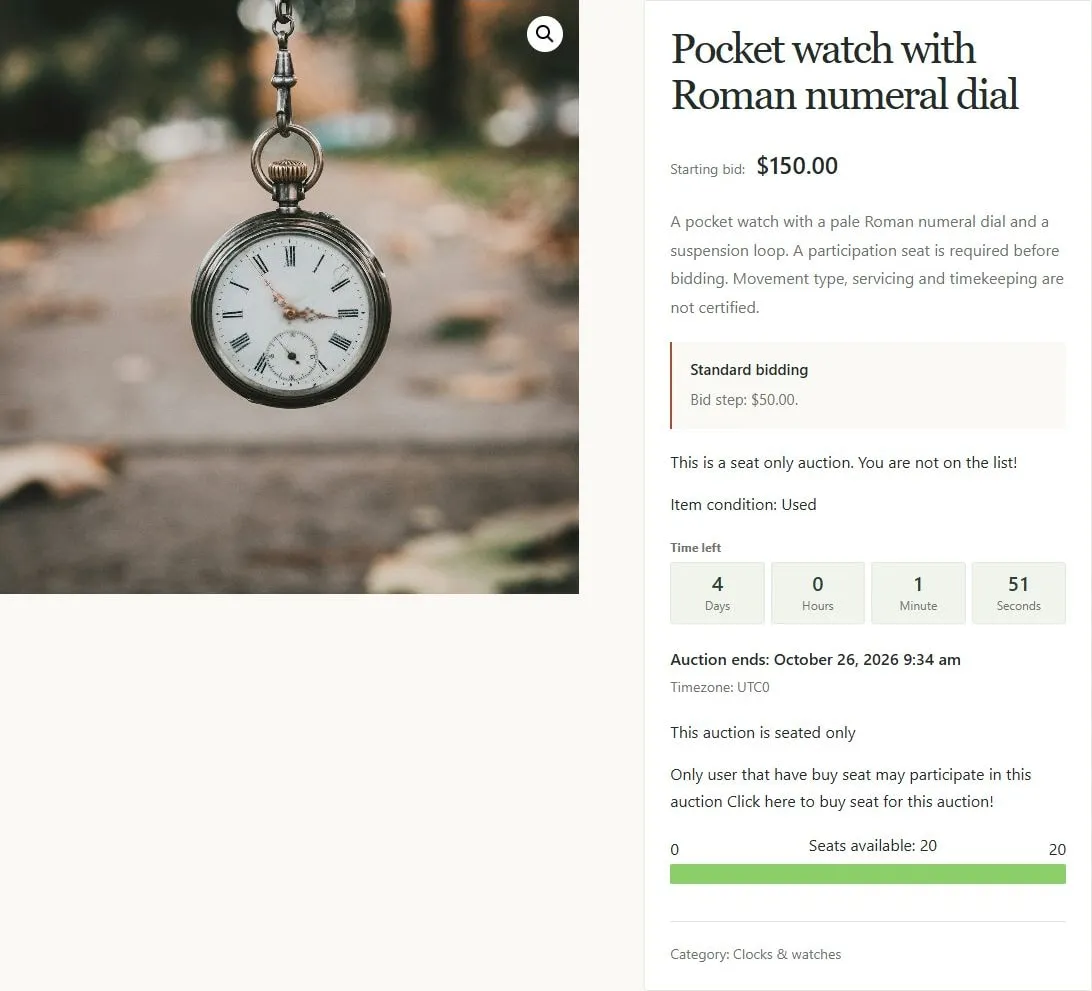
Seat-only auction with a participation link and remaining-seat progress.