
CSV Import & Export
The plugin ships two different CSV shapes. Use the sample for your intended importer; the column names are not interchangeable.
WooCommerce product importer
Section titled “WooCommerce product importer”Use Products → Import for files based on auctions_import_for_woocommerce_product_importer.csv or lots_import_for_woocommerce_product_importer.csv.
Auction product rows use Type = auction, standard WooCommerce fields, and auction metadata columns such as:
Meta: _auction_typeMeta: _auction_start_priceMeta: _auction_bid_incrementMeta: _auction_reserved_priceMeta: _buy_now_priceMeta: _auction_dates_fromMeta: _auction_dates_toThe supplied product sample uses date values shaped like 2026-09-01 08:00:00. Replace sample dates, SKUs, descriptions, prices, and image URLs before importing. The example dates are historical sample data.
Lot product importer
Section titled “Lot product importer”The lot administration has an importer with a different header format. The supplied car and antique examples include:
Title,Start Price,Reserve Price,Bid Increment,Item Condition,Auction Type,Proxy,Bid Increment Percentage,Extend Enable,Extend In Seconds,Extend For Seconds,ImageUse it to populate the intended lot, then check item order and session assignments.
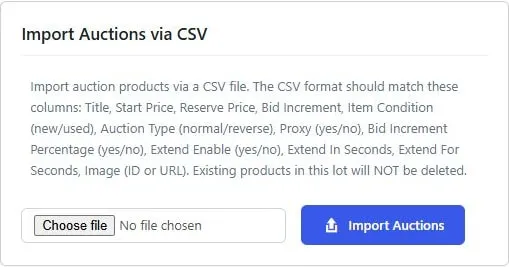
Expanded lot CSV importer with supported columns, file selection, and the Import Auctions button.
Download the supplied samples
Section titled “Download the supplied samples”- Auction products CSV
- Lot products CSV
- Car items for the lot importer
- Antique items for the lot importer
Safe workflow
Section titled “Safe workflow”Import two or three rows into staging first. Verify field mapping, stock, price boundaries, image availability, dates, and auction type before importing a full catalog.
Use WooCommerce’s product export workflow where appropriate and inspect the exported custom metadata. A product CSV is not a full backup of bid logs, seat records, historical auction cycles, or orders.