
Scheduling & Extensions
Independent auction schedule
Section titled “Independent auction schedule”Set Auction Starts and Auction Ends on the Auction tab. Use the timezone configured in WordPress. Before the start, bidding is unavailable; after closing, new bids are rejected.
Date entry and auction closure are separate concerns. The closing cron must run reliably for completion processing and notifications.
Extend an auction on a late bid
Section titled “Extend an auction on a late bid”Enable Extend auction on bid?, then configure the final-bid window and extension duration in seconds.
Example: a final-bid window of 60 seconds and an extension of 120 seconds allows the auction to extend when a qualifying bid arrives in the final minute. Treat the live displayed end time as authoritative after extension.
This feature allows further bidding near the end. Repeated late bids can delay the final result.
Auctions assigned to lots
Section titled “Auctions assigned to lots”Manage dates and extension behavior on the parent lot. The item’s own schedule and extension controls no longer govern the sale independently.
Parallel lots may extend just the affected auction or all auctions in the lot, according to the lot’s extension option. Sequential lots additionally need to preserve the order of upcoming items; review their recalculated schedule after an extension.
Screen example
Section titled “Screen example”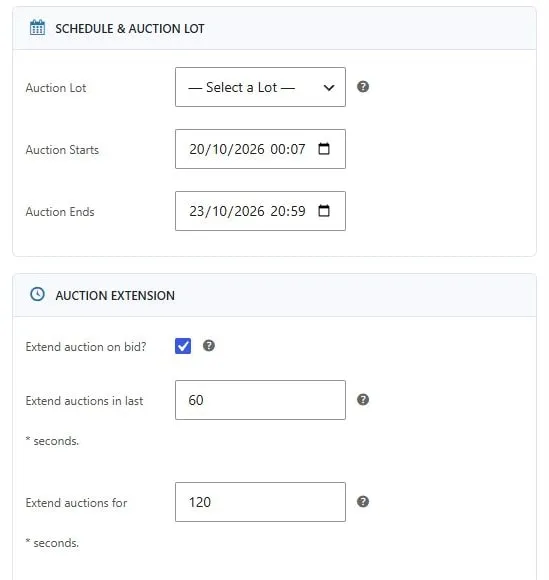
Individual auction dates and late-bid extension controls. Captured from the local demo; the theme and example values may differ from your store.
Demo example
Section titled “Demo example”
Upcoming auction with a starting countdown and scheduled opening and closing dates.