
Settings Reference
Open Auctions → Settings. Save changes within the relevant tab.
| Tab | Controls |
|---|---|
| General | Auction sorting, archive visibility, base page, watchlists, bid limit, Buy It Now, proxy defaults, sealed auctions, AJAX bidding, bidder masking, and admin-list visibility. |
| Lots | Lot sorting, archive visibility, base page, and display rules for lot items. |
| Countdown | Countdown presentation. |
| Badges | Auction, lot, winning/outbid, and status badges with preview. |
| Ajax Check Bid | Live bid polling behavior. |
| Live Notifications | Notification events, appearance, sound, and customer preference controls. |
| Stripe Payment | Saved-card eligibility and automatic winner charging, subject to gateway availability. |
| Fees | Fixed or percentage buyer fees per auction or per order, with optional tax settings. See Buyer fees. |
| Tools | Lot visibility synchronization. |
Settings that change customer behavior
Section titled “Settings that change customer behavior”- Allow highest bidder to outbid himself affects leading-bid behavior and repeat sealed bids.
- Enable sealed / silent auctions makes sealed-auction configuration available on products.
- Allow Buy It Now after bidding has started changes immediate-purchase availability.
- Remove pay button from reverse auctions. changes the reverse-auction payment interface.
- Mask bidder name from history tab. masks displayed bidder names; administrators still see complete names.
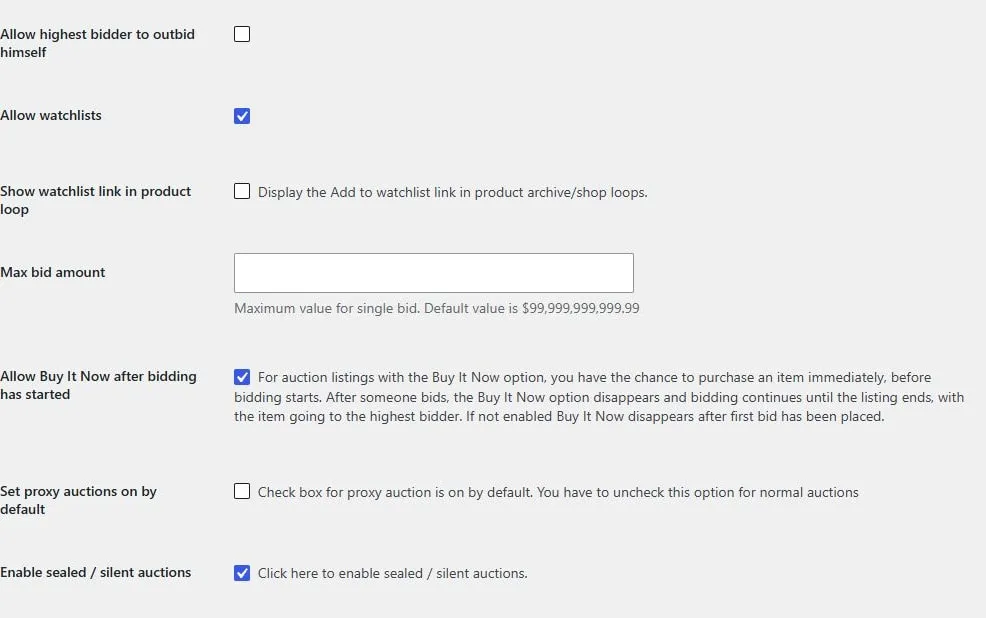
Leading-bidder rules, watchlists, bid limit, Buy It Now, proxy defaults, and sealed bidding.
Admin list settings
Section titled “Admin list settings”Hide auctions and lots from WooCommerce products list keeps those product types out of the general Products list. Hide lot auctions from All Auctions keeps child items in their lot workflow instead.
If an administrator cannot find an item, check these display settings before assuming that the product was deleted.
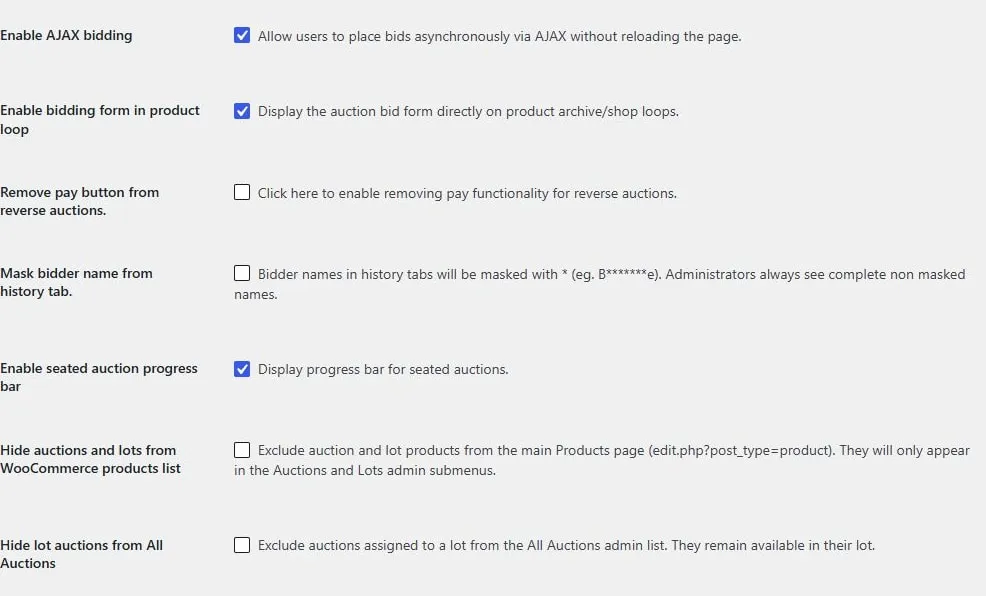
AJAX and archive bid forms, reverse-auction payment, bidder masking, seated progress, and admin-list visibility.
Screen example
Section titled “Screen example”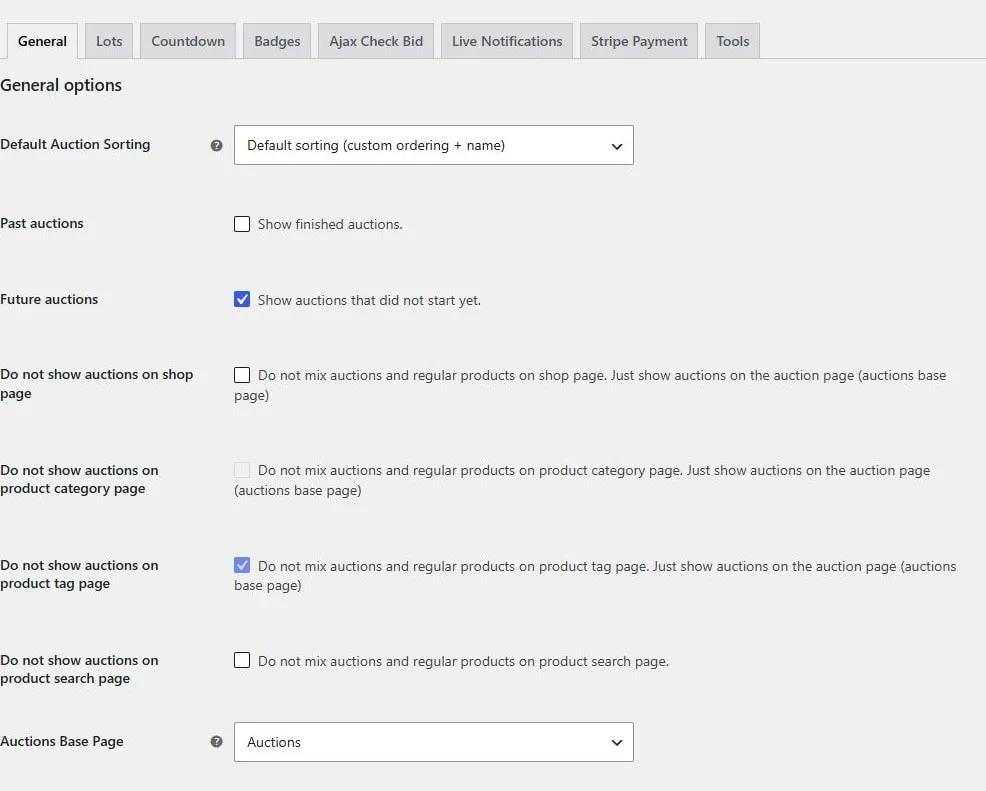
Auction settings tabs and scheduling notices. Captured from the local demo; the theme and example values may differ from your store.
Lot display settings
Section titled “Lot display settings”Open Auctions → Settings → Lots for the following controls.
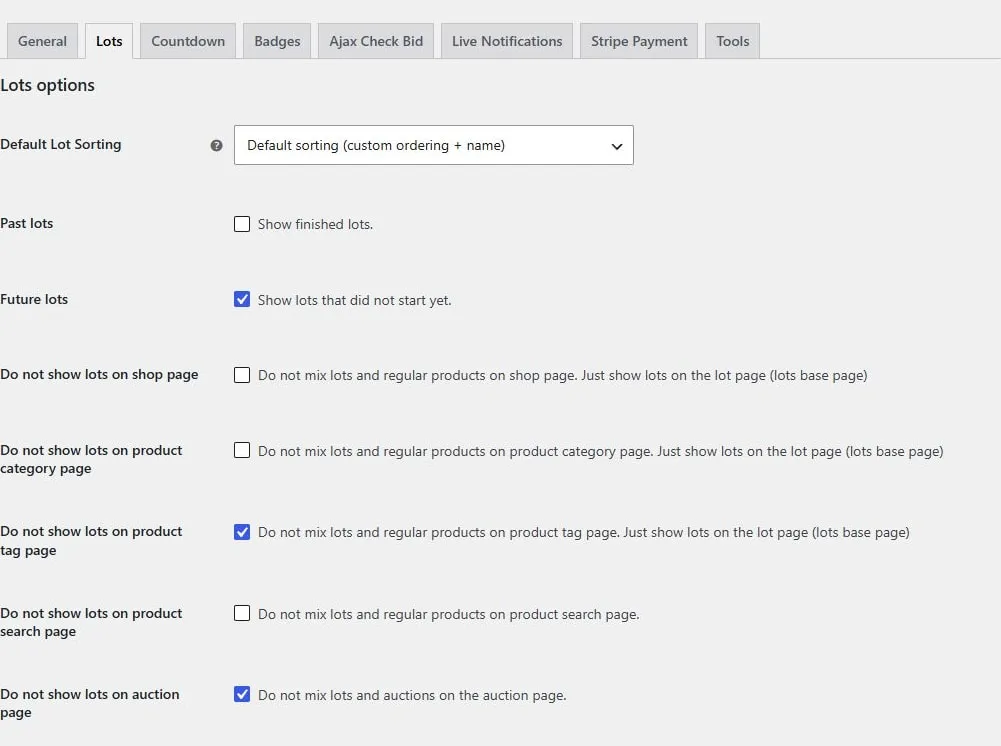
Lot sorting and visibility on shop, category, tag, and search pages.
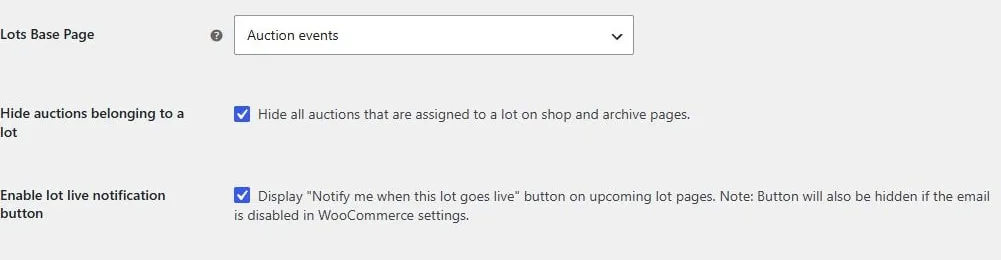
Lot archive page, child-auction visibility, and the upcoming-lot notification button.