
Badges, Countdown & Live Updates
Screens below use example settings from the local demo; select values appropriate to your store.
Badges
Section titled “Badges”Open Auctions → Settings → Badges. The settings cover auction and lot badges, winning/outbid badges, status badges, and additional bid/type indicators.
Configure enabled states, text, colors, positions, and optional images. Review the preview and then check a real product card and product page at desktop and mobile widths.
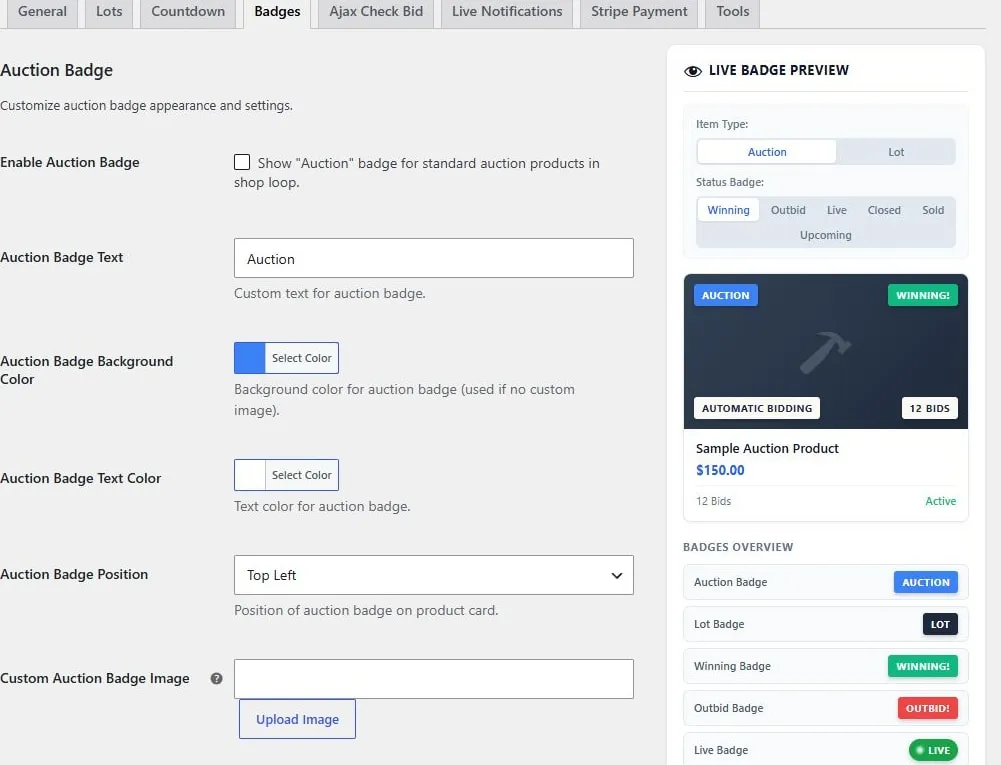
Auction badge text, colors, position, and live preview.
Countdown
Section titled “Countdown”Use the Countdown tab to configure the timer presentation. A countdown communicates the current end time; server-side auction state and closing tasks determine completion.
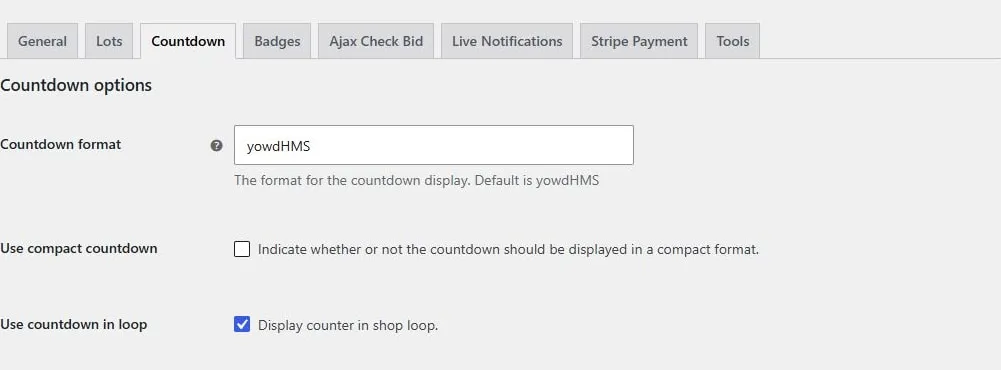
Countdown format, compact display, and shop-loop visibility.
AJAX bidding and refresh
Section titled “AJAX bidding and refresh”Enable AJAX bidding controls asynchronous bid submissions. The Ajax Check Bid tab controls periodic bid checks. Submitting a bid and polling for another customer’s bid are separate actions.
If a refresh is delayed, check the request result and retry message before submitting again. Avoid excessively frequent checks on large auction catalogs.
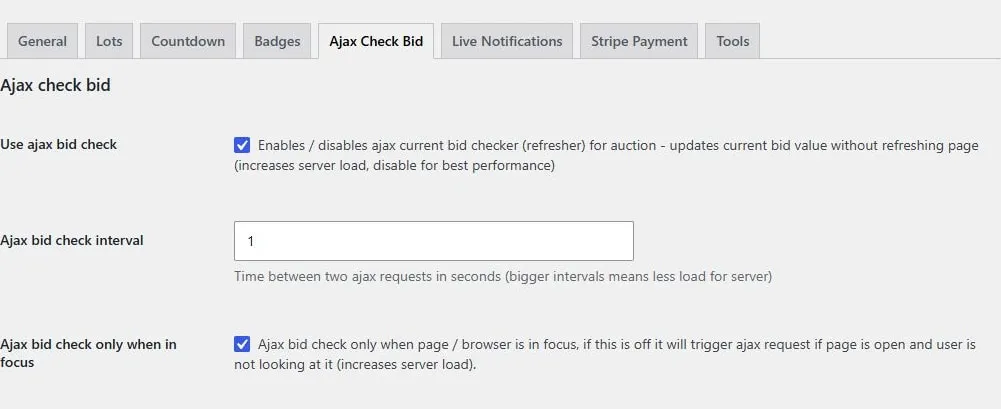
Periodic bid checks, refresh interval in seconds, and browser-focus restriction.
Live notifications
Section titled “Live notifications”The Live Notifications tab controls events, position, theme, and sound. It can also allow customers to choose all auctions, only participating auctions, or no notifications from their account settings.
Browsers may require a customer interaction before playing audio. Test notifications with two customer accounts and an auction where bids are permitted.
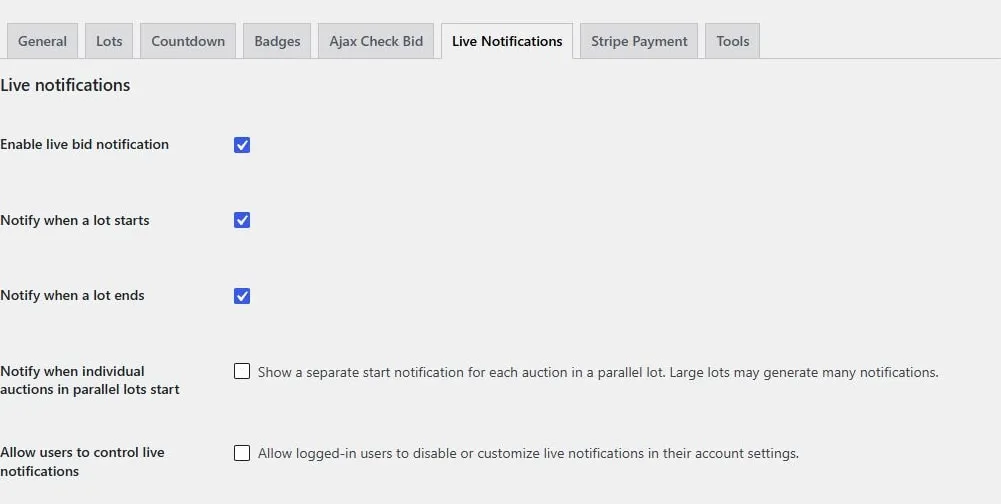
Bid and lot notification events and customer notification controls.
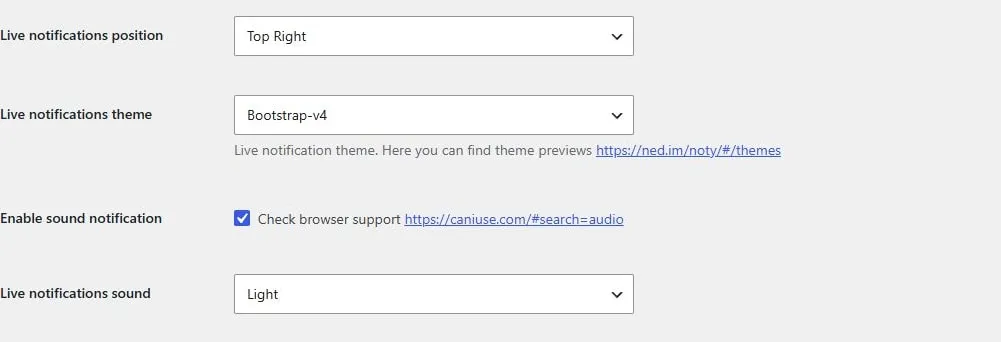
Notification position, theme, sound enablement, and sound selection.