
Sealed Bidding
- Enable Enable sealed / silent auctions in Auctions → Settings → General.
- Edit the auction and enable Sealed Bid?.
- Choose the auction direction and opening price boundary.
- Review the repeat-bid policy before publishing.
Winner selection
Section titled “Winner selection”For a normal sealed auction, the highest accepted bid leads. For a reverse sealed auction, the lowest accepted bid leads. An equal bid does not replace the existing leader, so the earlier equal offer remains ahead.
A normal sealed bid must be at least the starting price when one is configured. A reverse sealed bid must be no higher than its configured starting price. Offers do not need to beat a publicly displayed competitor amount to be accepted.
Sealed bidding is a first-price workflow: do not describe it as paying the second-highest offer.
Repeat bids
Section titled “Repeat bids”The Allow highest bidder to outbid himself setting also controls whether the sealed-bid handler permits another bid by a participant in the current auction cycle. When it is disabled, a customer who already submitted a sealed bid is rejected on another attempt.
Privacy and customizations
Section titled “Privacy and customizations”Use the plugin’s sealed-aware templates and responses. Masking a bidder name is a separate setting and does not turn a public auction into a sealed auction. Custom templates and integrations must preserve sealed-bid privacy.
Demo example
Section titled “Demo example”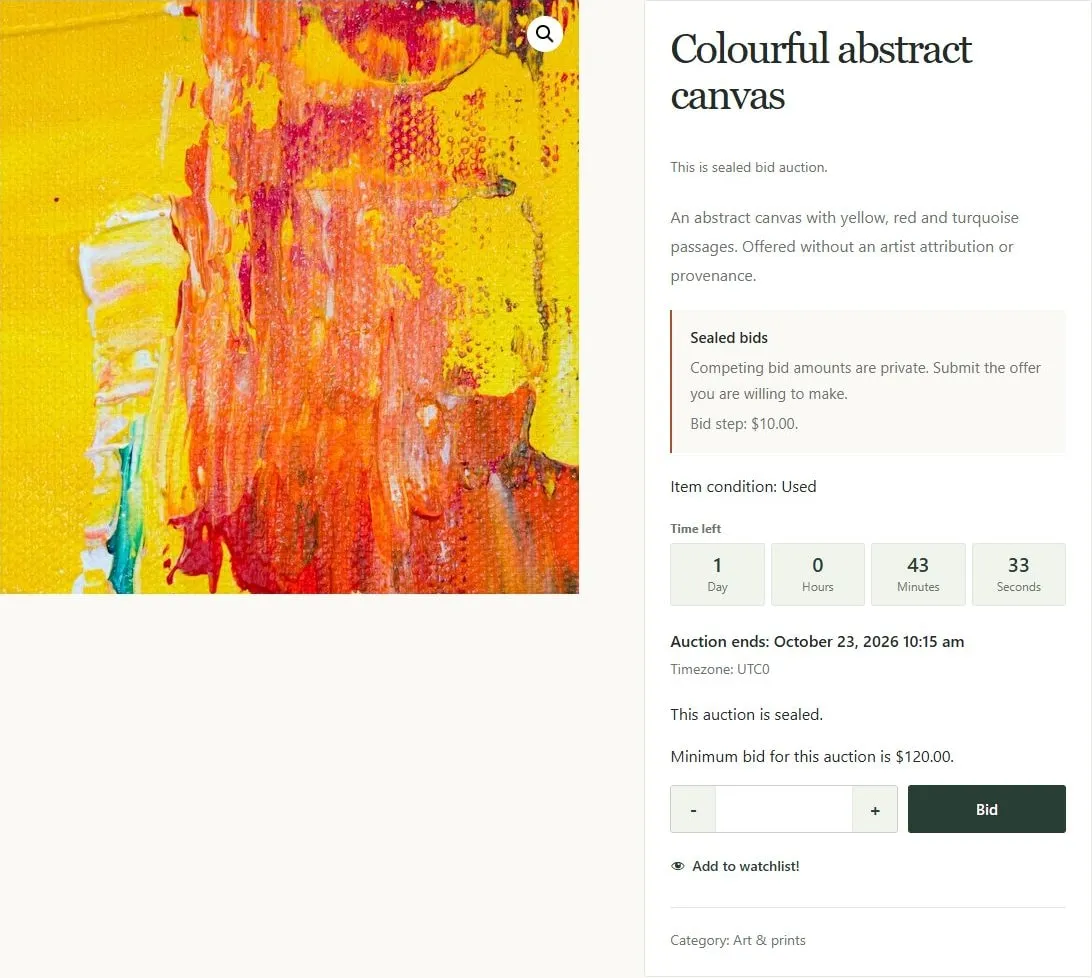
Sealed auction with a private-offer notice, minimum bid, countdown, and bid form.